Community open source
DeepSeek Harness Desktop
A desktop app built on the official DeepSeek Harness — works out of the box.
This is a community-maintained open-source project, not an official DeepSeek product.
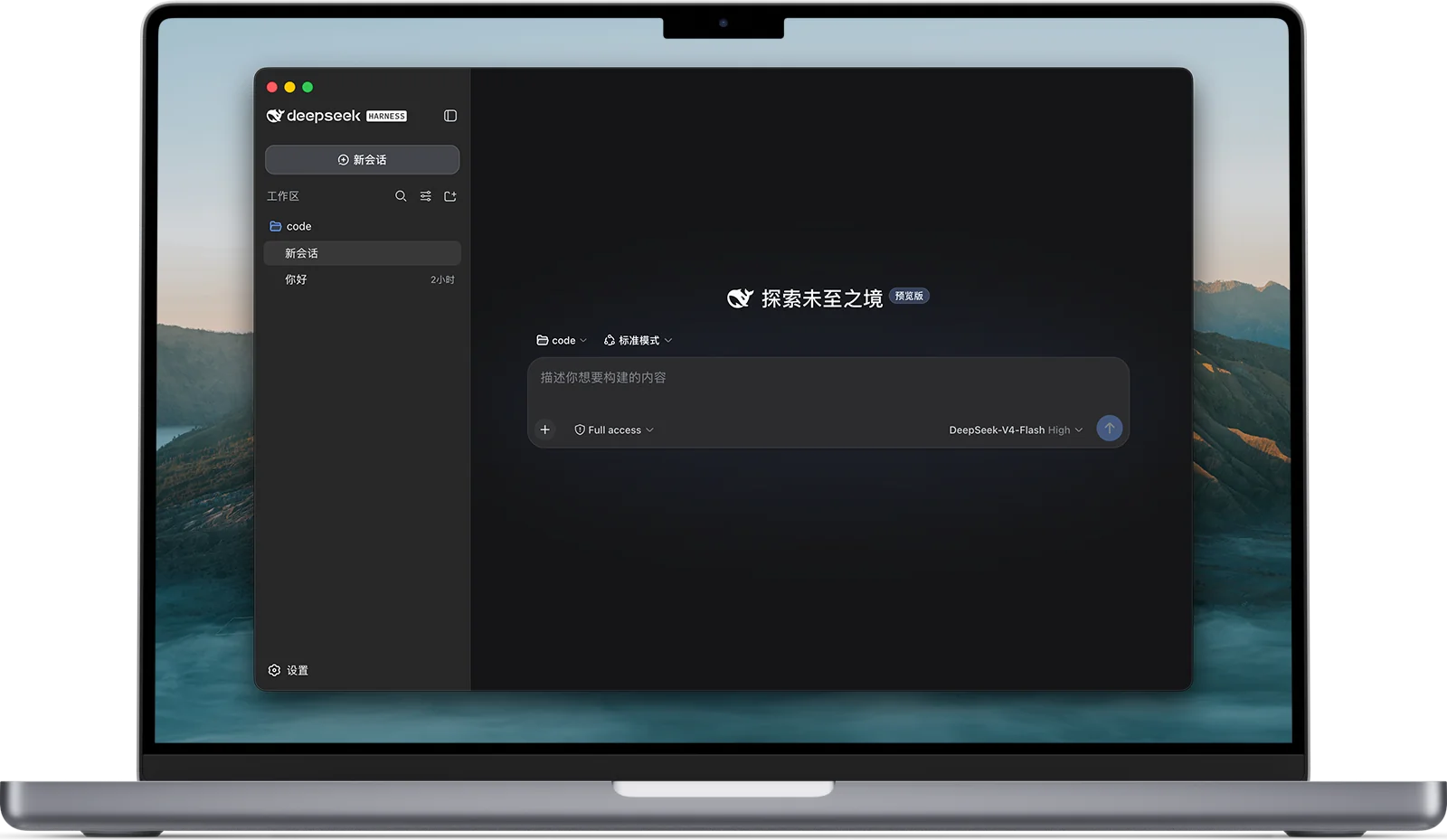
Harness
keeps agents working in real-world environments
The model is the soul of an agent.
A harness lets an agent understand its environment, use tools, and keep working in real-world settings.
Cordis kernel
The Cordis kernel manages plugin mounting, unmounting, and dependencies. Agent capabilities live in the plugins.
Capabilities as plugins
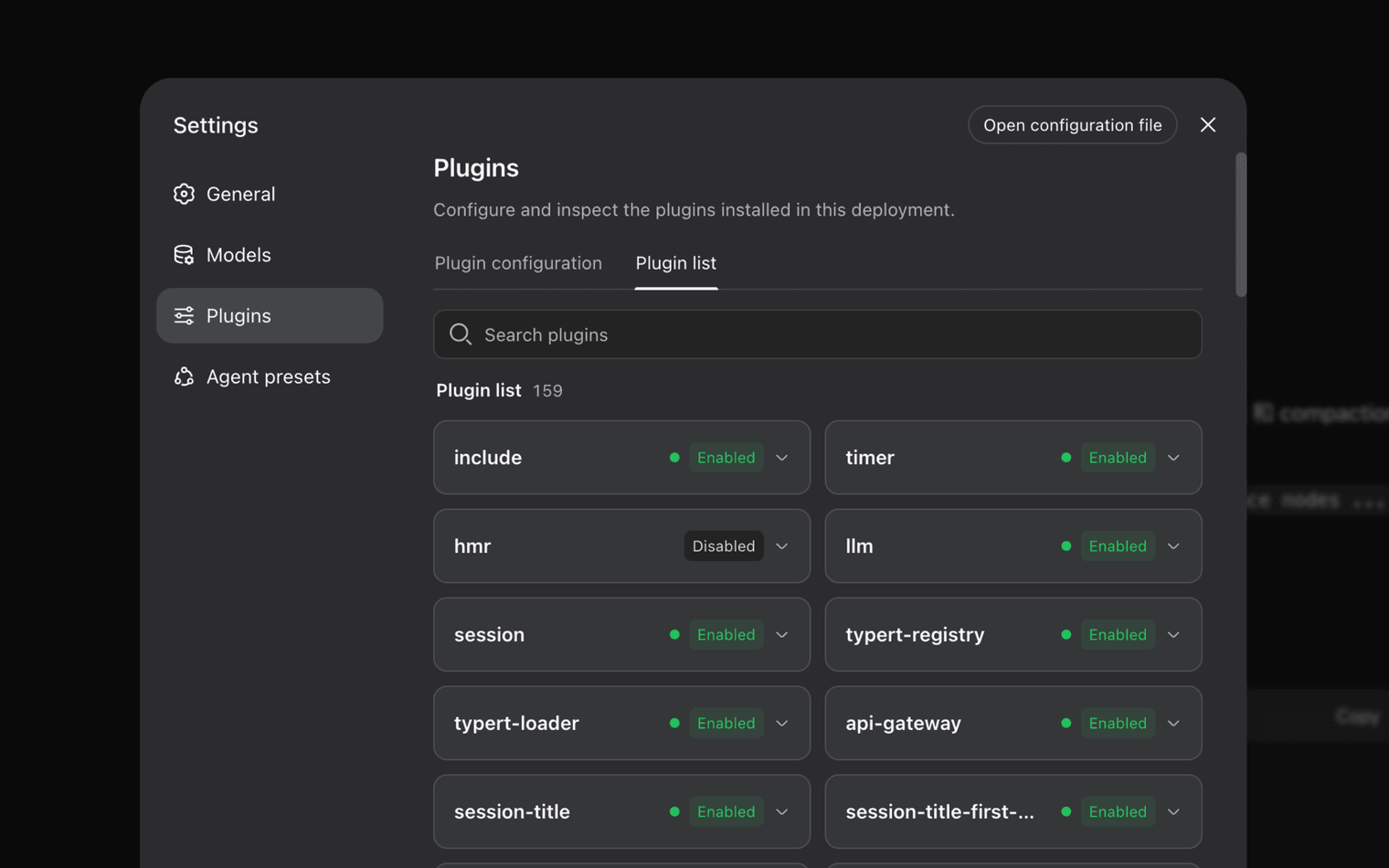
Plugins provide every agent capability, including models, tools, skills, sessions, sandboxes, storage, loops, scheduling, and the UI. Cordis services and events let the plugins work together.
Compose with configuration
Developers can select, swap, or extend any capability in configuration without changing the DeepSeek Harness source code.
DeepSeek Harness Desktop. Every run is traceable.
DeepSeek Harness Desktop
DeepSeek Harness is built on Cordis's plugin system. Plugins provide every agent capability, including models, tools, skills, sessions, sandboxes, storage, loops, scheduling, and the UI. Cordis services and events let the plugins work together. Developers can select, swap, or extend any capability in configuration without changing the DeepSeek Harness source code.
Every run is traceable
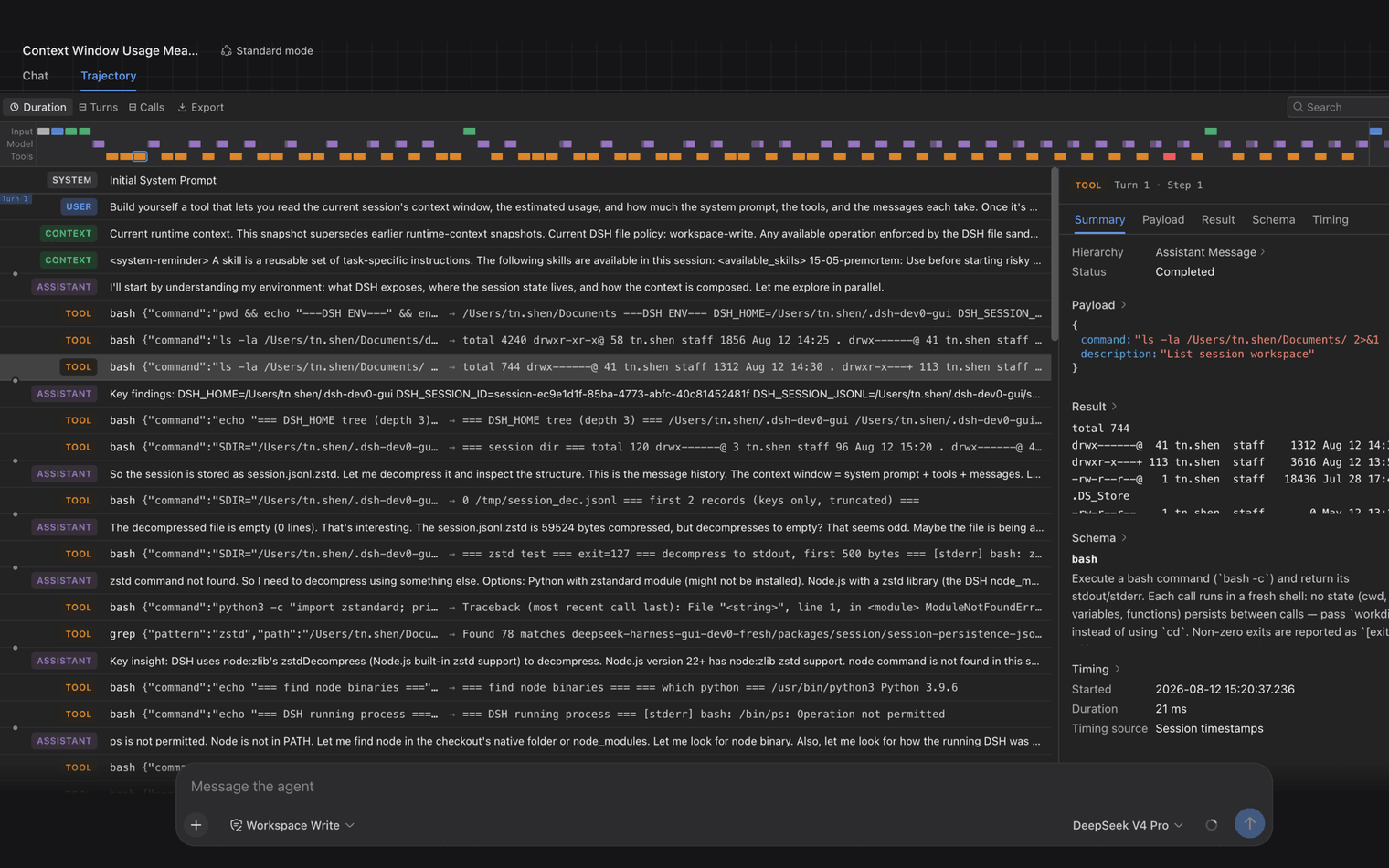
Everything the model sees is recorded in an append-only session log: system prompts, reasoning, tool calls and results, subagent scheduling, and every context injection. In the Trajectory view, you can inspect these records by source. Resume, fork, search, and replay all operate on the same event stream.
Multiple runtime modes
Standard mode includes the full toolset. Code mode uses model-generated code to orchestrate multiple rounds of tool calls. Minimal mode keeps only a shell tool and a file editor for benchmarking models in a minimal environment. Creator mode lets you inspect the current runtime, test Cordis plugins in memory, and combine them into new modes.
DeepSeek Harness Desktop. Every run is traceable.
DeepSeek Harness Desktop
DeepSeek Harness is built on Cordis's plugin system. Plugins provide every agent capability, including models, tools, skills, sessions, sandboxes, storage, loops, scheduling, and the UI. Cordis services and events let the plugins work together. Developers can select, swap, or extend any capability in configuration without changing the DeepSeek Harness source code.
Every run is traceable
Everything the model sees is recorded in an append-only session log: system prompts, reasoning, tool calls and results, subagent scheduling, and every context injection. In the Trajectory view, you can inspect these records by source. Resume, fork, search, and replay all operate on the same event stream.
Multiple runtime modes
Standard mode includes the full toolset. Code mode uses model-generated code to orchestrate multiple rounds of tool calls. Minimal mode keeps only a shell tool and a file editor for benchmarking models in a minimal environment. Creator mode lets you inspect the current runtime, test Cordis plugins in memory, and combine them into new modes.
Customize your DeepSeek Harness
Try it now or install from source
Quick start
Install Node.js, then launch the Web UI with npx.
$ npx @deepseek-ai/dsh webInstall from source
Clone the full source and follow the setup instructions in the repository.
$ git clone https://github.com/salathleizhang/deepseek-harness-desktopJoin the DSH plugin ecosystem
DeepSeek Harness remains in developer preview and is still being tested by developers building agent harnesses. Its core plugins and APIs will continue to evolve. We look forward to exploring the limits of intelligence with developers worldwide using open-source infrastructure that is reusable and composable.